Your official reports, written inside Word
Create reports and dashboards, rewrite text and translate between Arabic and English — on your organisation’s letterhead, without leaving the document.
Works in Word on Windows and Mac (Microsoft 365) and Word on the web.
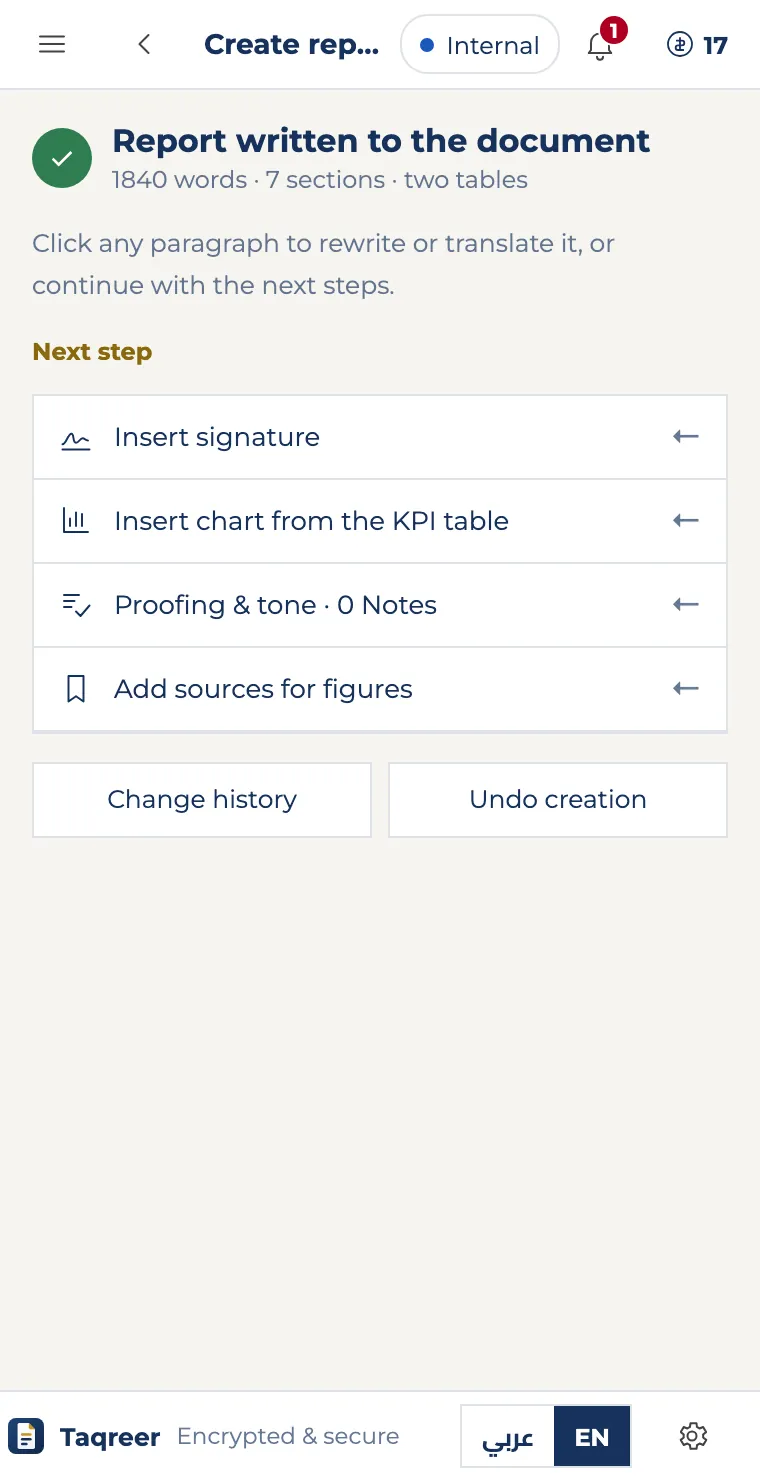
How it works
From a short brief to a report on your letterhead — with the pane beside the document all along.
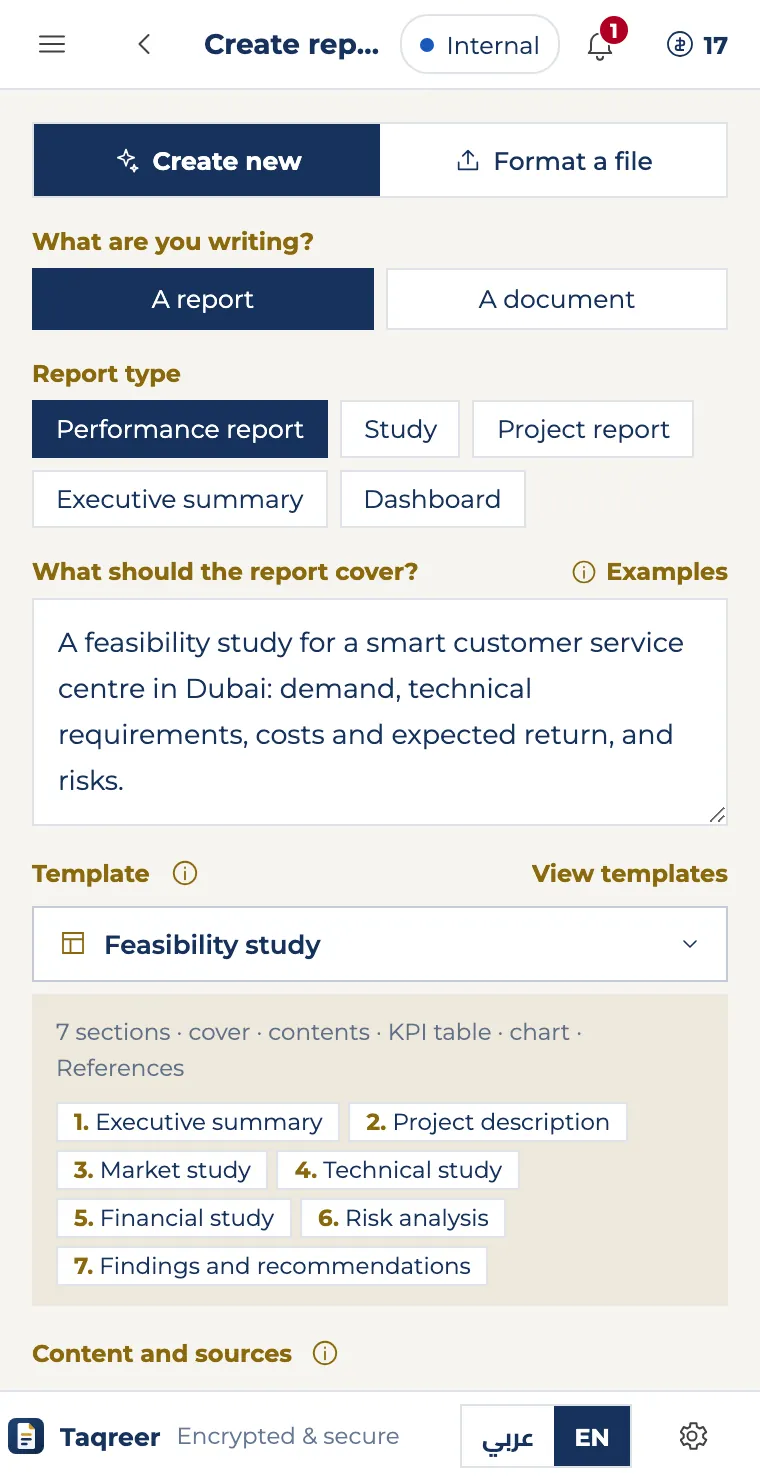
What it does in Word
One side pane that writes, edits and formats — and the document stays yours.
Get going in two minutes
After installing, all you need is a TAQREER account — the free plan is enough to start.
After a Marketplace install, Word picks the Taqreer tab and opens the pane by itself the first time. After that: Taqreer tab → Open pane.
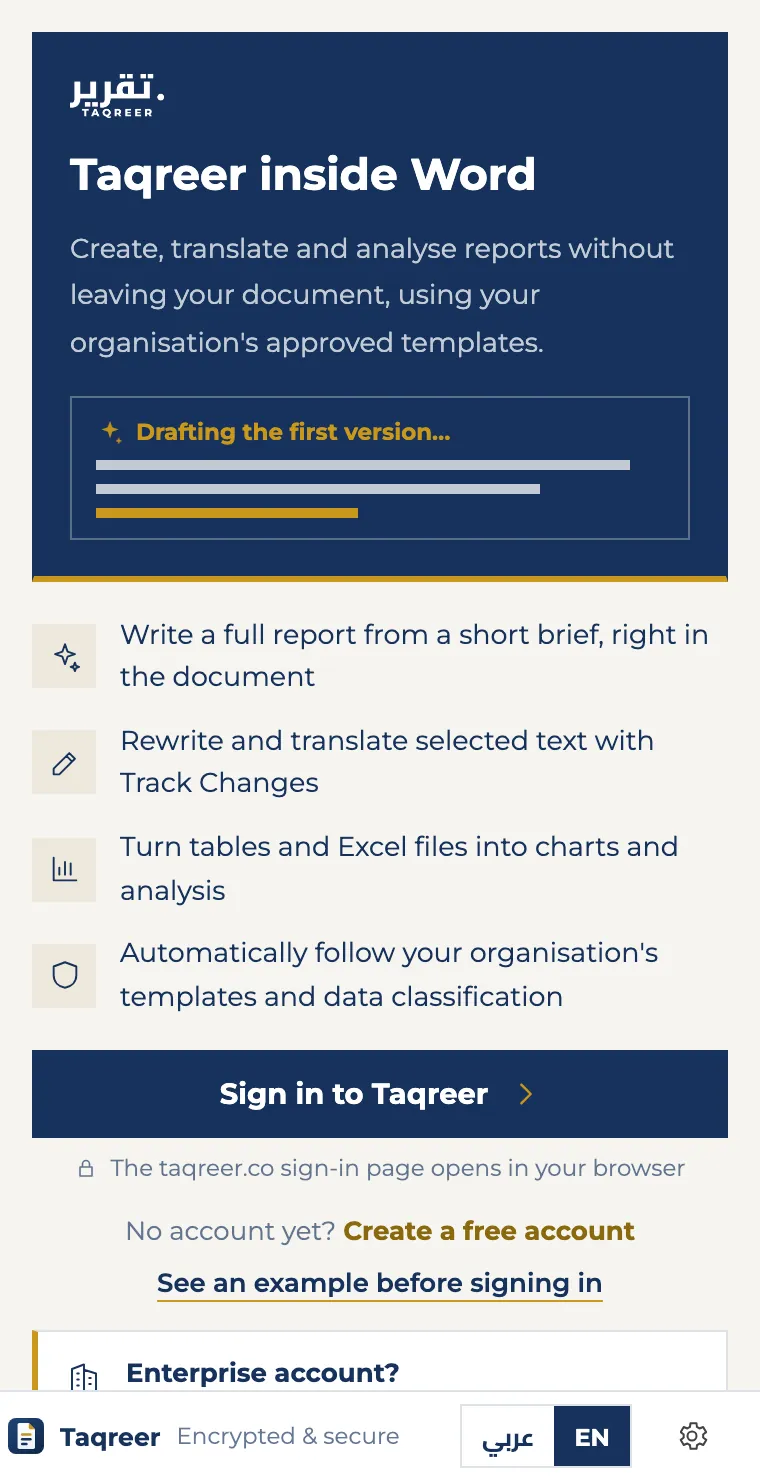
Choose “Sign in to Taqreer” and the sign-in page opens in your browser. No account? Create a free one from the pane itself.
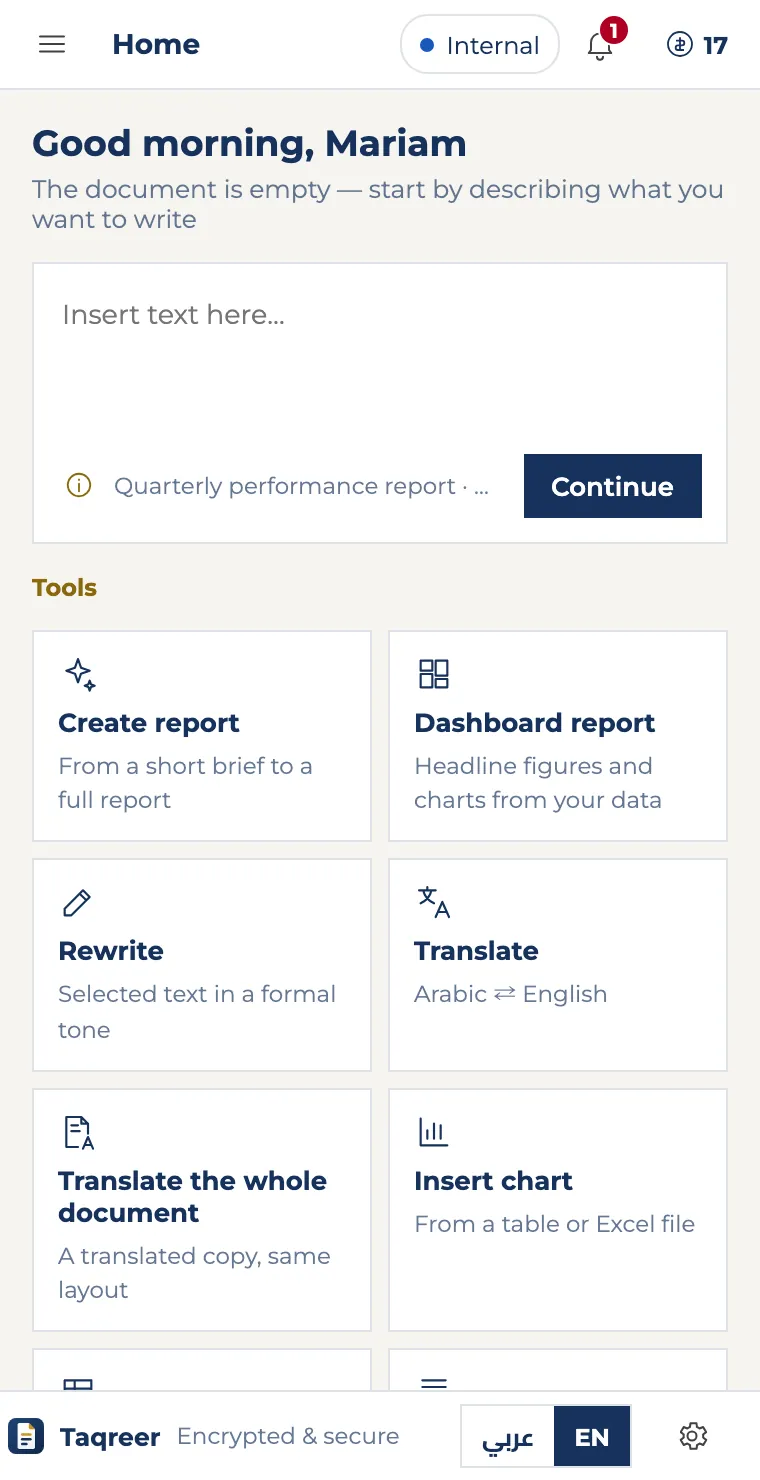
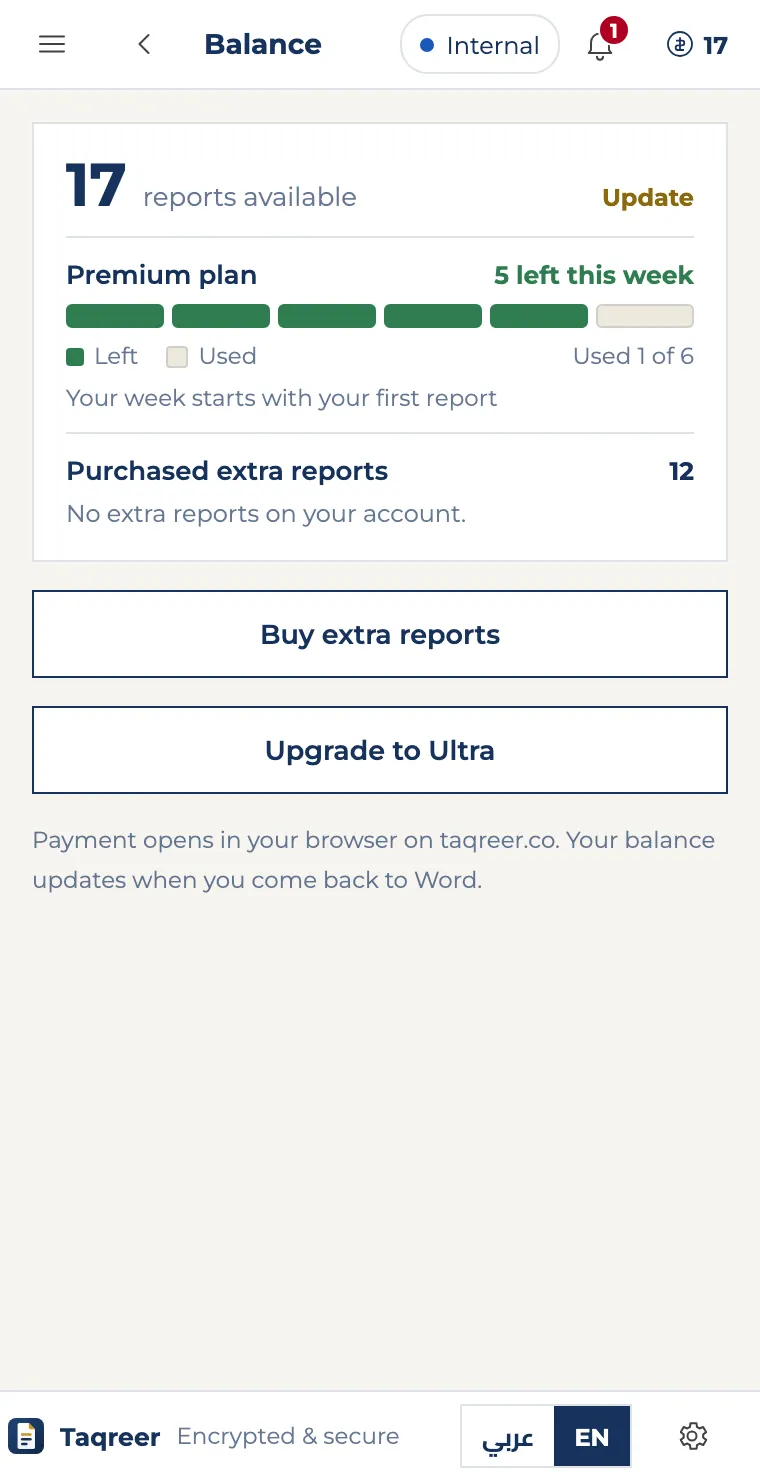
The reports you have left show at the top of the pane. Extra reports and upgrades are on taqreer.co, and the balance updates when you come back to Word.
Install it the way that suits you
From Microsoft Marketplace
- Open Word, then Home → Add-ins.
- Search for TAQREER and choose Add.
- Word picks the Taqreer tab and opens the pane automatically — sign in with your taqreer.co account.
For your organisation, via its Microsoft 365 admin
- In the Microsoft 365 admin center: Settings → Integrated apps → Add-ins → Deploy Add-in.
- Choose to upload a custom app, then “Provide a link to the manifest” and paste the link below — or download the file and upload it.
- Pick Everyone or specific users and groups, then Deploy.
https://taqreer.co/addin/manifest.xmlThe Taqreer tab appears on everyone’s Word ribbon with nothing for them to do; it can take one to three days to show. The pane doesn’t open by itself this way — each person opens it from the tab. Updates arrive automatically.
Download the manifestInstall by hand from the manifest
Word on the web- Download the manifest.
- Open a document, then Home → Add-ins → More Settings.
- Choose Upload My Add-in, then the file, then Upload.
- Download the manifest.
- In Finder press Cmd+Shift+G and open this folder (create the wef folder if it is missing):
~/Library/Containers/com.microsoft.Word/Data/Documents/wef- Copy the file into it, restart Word, then Home → Add-ins → TAQREER.
On Windows, use Marketplace or ask your organisation’s Microsoft 365 admin to deploy it.
Download the manifestWhere to find it after installing
Everything in TAQREER is on one tab of the Word ribbon, and the pane opens beside the document.
The pane docks beside the document — on the right in English Office, on the left in Arabic Office.
If something doesn’t show
I can’t see the Taqreer tab
The tab sits at the end of the ribbon, after View. Word on the web may show the simplified ribbon: expand it with the ribbon arrow or open the “…” menu at its end. On Windows and Mac, close Word and open it again. If your organisation deployed it through Microsoft 365, it can take one to three days to appear.
The pane didn’t open by itself
The pane opens automatically once: right after you install it from Microsoft Marketplace. Every time after that, open it from the Taqreer tab → Open pane, or any button on the tab. If your organisation installed it, the pane can open with every document you used it in: Settings → “Open Taqreer with the document”.
The sign-in page didn’t appear
The taqreer.co sign-in page opens in your browser or in a small window. If it doesn’t, allow pop-ups for taqreer.co, choose “Sign in to Taqreer” again, and come back to Word once you’re signed in.
My organisation’s network blocks the pane
The pane needs the domains listed under Specifications below (taqreer.co, the sign-in pages and Office’s libraries). Ask your IT team to allow them.
It says my balance isn’t enough
Each report created successfully uses one report from your weekly or extra balance; nothing is charged if creation fails. Buy extra reports or upgrade on taqreer.co — the pane’s balance updates when you come back to Word.
Does it work on iPad?
Not yet. TAQREER works in Word on Windows and Mac, and in Word on the web.
Every tool step by step with screens, the parts of the pane, and the specifications your IT team needs.
Sharing between colleagues, the incoming and outgoing letters register, review and approval, and each document’s journey. We are getting them ready for organisation accounts.
Quick answers
Yes — Word on Mac and Windows in Microsoft 365, and Word on the web.
Only what the tool you use needs: your brief, files you upload, and the text or tables involved. The document stays in Word.
Automatically — the pane loads from taqreer.co every time.